Keyshift
A downloadable Keybinder for Windows
REEbind your keys!
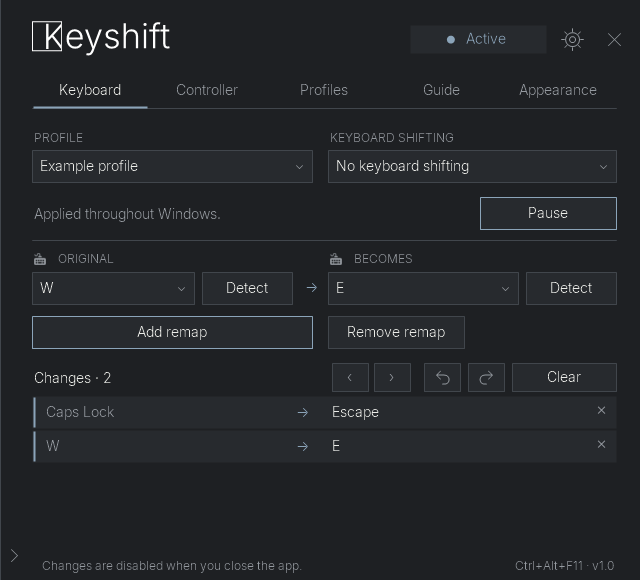
Keyshift is a free Windows tool for temporary keyboard remapping and virtual controller input. Change your controls, save profiles, and keep playing with the keys that work for you! Keyboard remapping stops when you close the application.
What you can do in Keyshift:
- Remap individual keys or shift the keyboard layout in any direction.
- Save profiles and link them to specific applications.
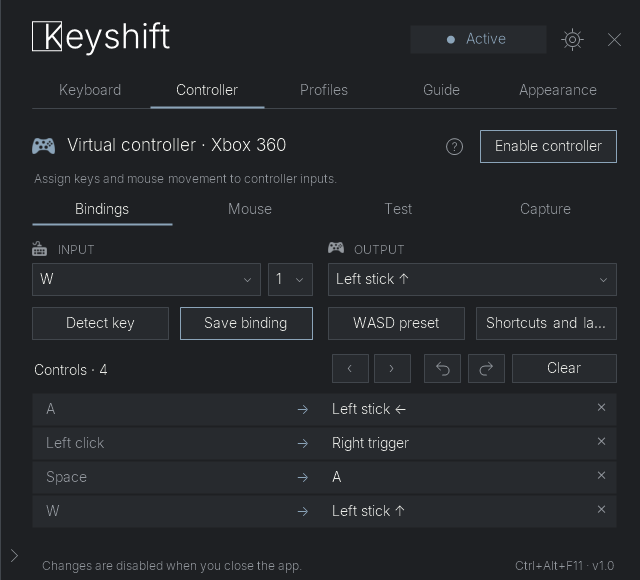
- Use keyboard and mouse inputs with a virtual Xbox 360 controller.
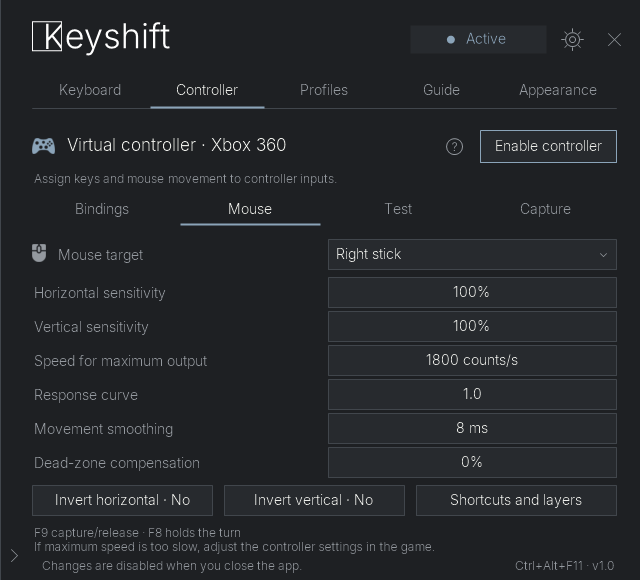
- Turn mouse movement into either analog stick, with adjustable response.
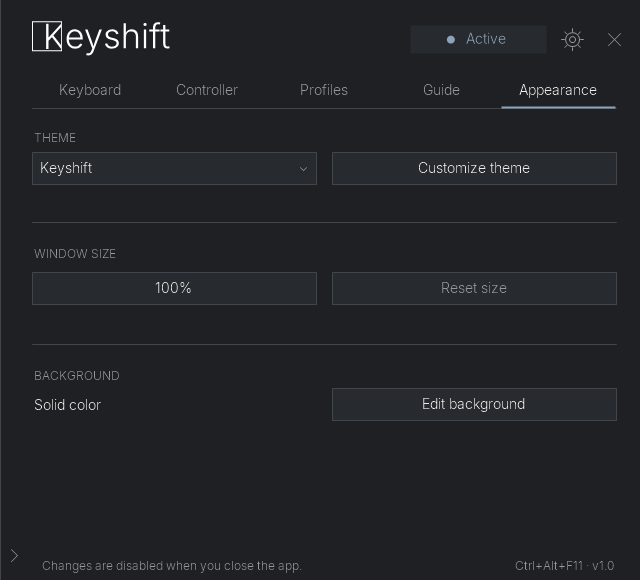
- Customize themes, static backgrounds, notifications, and a floating key guide.
Getting started
- Download and extract Keyshift Public Release.zip.
- Keep the included files together in a writable folder.
- Run Keyshift.exe and follow the welcome guide.
Requirements: Windows 10 or 11, 64-bit, with .NET Framework 4.8. English and Spanish are included.
Keyboard remapping needs no additional driver. The virtual controller requires ViGEmBus; exclusive mouse capture additionally requires the compatible Raw Accel driver. The built-in Controller guide provides the official download links. These drivers are NOT installed automatically.
Before you play... I have something to tell you.
Compatibility depends on the game. A wheel binding may trigger both the virtual controller and the game's own scroll action, even with exclusive blocking. If they interfere, use another input or change the game's wheel binding if supported.
The default pause shortcut is Ctrl + Alt + F11. Ctrl + Alt + F12 always provides an emergency pause. I also added bugs, so many that I don't even know where they are. 😊 Bugs can take a-g-e-s to fix, or they might not even be fixed at all.
Español
Keyshift es una herramienta gratuita para Windows que permite reasignar el teclado temporalmente y usar un mando virtual. Los cambios del teclado se desactivan al cerrar la aplicación.
- Reasigna teclas o desplaza toda la distribución.
- Guarda perfiles y vincúlalos a aplicaciones.
- Convierte las teclas y el ratón en entradas de un mando Xbox 360 virtual.
- Usa el movimiento del ratón como stick izquierdo o derecho.
- Personaliza temas, fondos estáticos, notificaciones y una guía flotante.
Instalación: extrae el ZIP, conserva todos sus archivos juntos en una carpeta con permiso de escritura y abre Keyshift.exe. Requiere Windows 10 u 11 de 64 bits y .NET Framework 4.8.
Reasignar el teclado no necesita controladores adicionales. Para el mando virtual se necesita ViGEmBus; el bloqueo exclusivo del ratón necesita además el controlador compatible de Raw Accel. La guía de Mando ofrece los enlaces oficiales. No se incluyen ni se instalan automáticamente.
Importante: algunos juegos pueden recibir la rueda además de la acción del mando, incluso con bloqueo exclusivo. Si interfiere, usa otra entrada o cambia la asignación dentro del juego, si lo permite.
Pausa predeterminada: Ctrl + Alt + F11. Pausa de emergencia: Ctrl + Alt + F12. Esta primera versión pública puede contener errores y sus correcciones pueden tardar.
Gracias por usar Keyshift. Thank you for using Keyshift.
Download
Install instructions
English
- Extract the ZIP into a writable folder. Keep all included files together.
- Open Keyshift.exe and follow the welcome guide.
Requires Windows 10 or 11 (64-bit) and .NET Framework 4.8. Keyboard remapping needs no additional driver. The optional virtual controller requires ViGEmBus; exclusive mouse capture also requires the compatible Raw Accel driver. Use the official links in the built-in Controller guide. Drivers are not included or installed automatically.
Default pause: Ctrl + Alt + F11. Emergency pause: Ctrl + Alt + F12. Mouse wheel bindings can still reach some games, even with exclusive blocking.
Español
- Extrae el ZIP en una carpeta con permiso de escritura. Conserva todos los archivos incluidos juntos.
- Abre Keyshift.exe y sigue la bienvenida.
Requiere Windows 10 u 11 de 64 bits y .NET Framework 4.8. Reasignar el teclado no necesita controladores adicionales. El mando virtual opcional requiere ViGEmBus; la captura exclusiva del ratón requiere además el controlador compatible de Raw Accel. La guía integrada de Mando ofrece los enlaces oficiales. Los controladores no están incluidos ni se instalan automáticamente.
Pausa predeterminada: Ctrl + Alt + F11. Pausa de emergencia: Ctrl + Alt + F12. Algunos juegos pueden seguir recibiendo la rueda del ratón, incluso con bloqueo exclusivo.
Comments
Log in with itch.io to leave a comment.
Some fixes and tweaks coming soon.